The Sedhr Punjab retirement process is one of the most critical stages of a teacher’s service. Any small mistake in Sedhr or SIS can delay pension, gratuity, or GP fund for months.
This complete guide explains how retirement works in Sedhr, required documents, timelines, common errors, and how to avoid delays.
What Is Sedhr Punjab Retirement Module?
The Sedhr Punjab Retirement Module is used by the School Education Department to:
Verify service record
Process superannuation cases
Forward data to pension authorities
Sedhr retirement is linked with:
SIS (School Information System)
District Education Office
Accountant General Punjab
👉 No retirement case moves forward without correct Sedhr data.
When Does Retirement Start in Sedhr?
Retirement preparation usually starts:
6–12 months before retirement date
📌 Waiting till the last month is the biggest mistake.
Types of Retirement Covered in Sedhr
Superannuation (age retirement)
Voluntary retirement
Compulsory retirement
Medical retirement (special cases)
Most teachers fall under superannuation.
Step-by-Step: Sedhr Punjab Retirement Process
Step 1: Verify Profile & Service Record
Before anything else, check:
Name & CNIC
Date of birth
Appointment date
Promotions
Postings
Leave record
❌ Any error here will stop the case.
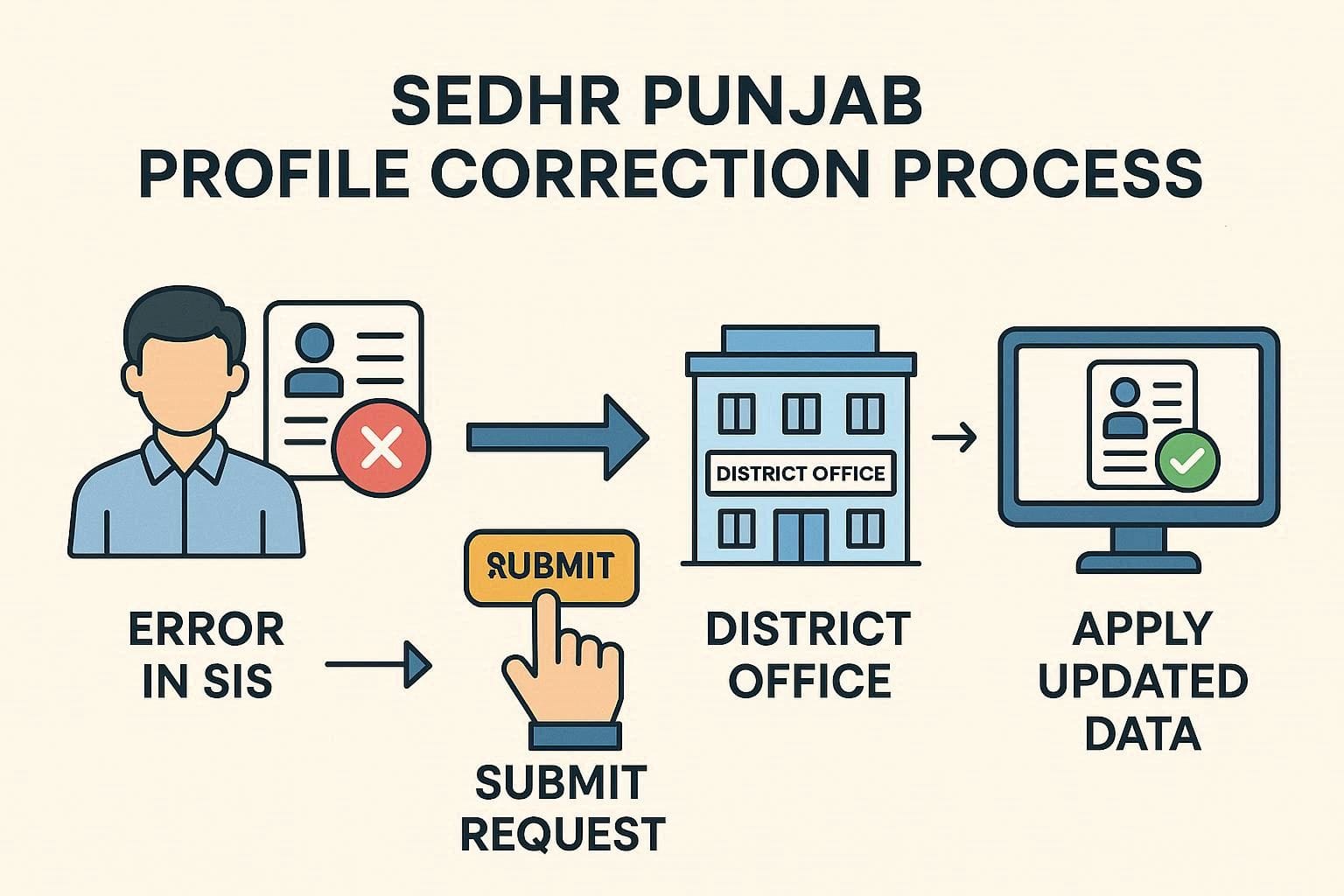
Step 2: Profile Correction (If Required)
If data is incorrect:
Submit correction request via school head
Update data in SIS
Wait for Sedhr sync
📌 Retirement cannot proceed with incorrect data.
Step 3: Retirement Flag in Sedhr
District office marks teacher as “Retiring Soon”
Retirement workflow becomes active
Teachers cannot activate this themselves.
Step 4: Document Verification
Commonly required documents:
CNIC copy
Service book
Appointment letter
Promotion notifications
Leave record
Bank account details
Photographs
📌 Missing documents cause major delays.
Step 5: Head of Institution Verification
School head verifies service data
Confirms leave and attendance
Forwards case
Step 6: District-Level Approval
DEO office reviews case
Confirms retirement date
Approves digitally
Step 7: Forwarding to Accountant General
Once approved:
Case forwarded to AG Punjab
Pension & gratuity processing starts
How to Check Retirement Status on Sedhr
Login to Sedhr
Open Service / Retirement Section
Check status:
Under Preparation
Verified
Approved
Forwarded
📌 Status may update slowly — this is normal.
Common Sedhr Retirement Problems & Solutions
❌ Retirement Case Not Visible
Reason: Retirement flag not activated
Fix: Contact district office
❌ Wrong Retirement Date
Reason: Incorrect DOB
Fix: DOB correction with documents
❌ Promotion Missing
Reason: SIS not updated
Fix: Upload promotion notification
❌ Leave Record Incomplete
Reason: Old leave not entered
Fix: School head verification required
How Long Does Sedhr Retirement Take?
| Stage | Time |
|---|---|
| Data correction | 1–4 weeks |
| District approval | 2–3 weeks |
| AG processing | 2–4 months |
📌 Delays increase if documents are incomplete.
Can Teachers Edit Retirement Data Themselves?
❌ No.
Teachers:
Can view
Can report errors
Only authorized officers can:
Edit
Approve
Forward cases
Important Tips to Avoid Pension Delay
Start process at least 1 year early
Verify service book carefully
Fix profile errors immediately
Keep document copies ready
Follow up politely with district office
Frequently Asked Questions (FAQ)
Q1: Can I retire without Sedhr entry?
No. Sedhr is mandatory.
Q2: Will wrong profile delay pension?
Yes, 100%.
Q3: Can retirement be reversed?
Only in exceptional cases with approval.
Q4: Do I need to visit AG office?
Usually no, unless documents are missing.
Sedhr Update Guide:
The Sedhr Punjab retirement system is strict but predictable.
Most delays happen due to:
Late preparation
Profile errors
Missing documents
If handled properly, retirement and pension processing becomes smooth.
📌 Share this guide with colleagues nearing retirement — it saves months.